Home
Graphics
Techsmith
CMAC01-2-E
☎ +353 1 6535178
Register / Login
Cart Contents
Checkout
Quick Search
Quick Search
Advanced Search
Reviews
Rate/Review this product!
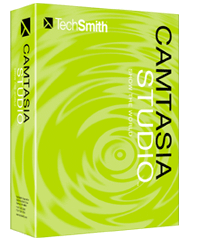
Camtasia Studio 3 for MAC
Pricing Check?
€
Prices Exclude VAT
Camtasia Pricing in Ireland from AxonWare. Get Camtasia Studio 3 for MAC. Order Online from the leading Camtasia Discount Reseller in Dublin Ph:+353-16535178. Best place to Buy Camtasia.
"/> --!>
Available Options:
Choose:
Free Electronic Download
Camtasia Studio MAC 3 new features from Techsmith - at a time-limited launch price! With Camtasia you can quickly record, edit and publish multimedia demos and presentations. This is fast becoming the standard for creating web demos or making an online library of lectures and tutorials.
Cmac What’s New
» Remove a Color
» Put Yourself in the Action
» Insert yourself right into your videos with Remove a Color, also known as Chroma Key or the green screen effect.
» Clip Speed
» Make Videos the Perfect Length
Now you can easily speed up or slow down any video or audio clip.
Create training, demos and tutorials
It is truly powerful to teach and demonstrate visually, rather than through words alone. Camtasia Studio screen recording will change the way you present, train and connect with your audience.
See Camtasia in action
How people are using Camtasia Studio
» Educators: Recording narrated PowerPoint presentations
» Take your AVI clips and produce a nice podcast to play on for your Ipod touch or iPhone.
» Using the Camtasia Studio toolbar in PowerPoint, educators can record their narrated presentations with one click, and then post them as online lectures or learning supplements for their students.
IT and Training: Providing instruction anytime, anywhere
With one-click PowerPoint recording, production to any file format, and integrated sharing via Screencast.com, Camtasia Studio saves time and streamlines instruction for IT and training professionals. Using Camtasia Studio, you can empower your audience to find the information they need, exactly when they need it.
Flash Developers: Integrating video content into Flash projects
In addition to creating videos to place directly inside a Flash project, developers are using Camtasia Studio to create quick prototypes of projects and professional-quality Flash training and presentations that dont require additional editing in the Flash authoring environment.
With Camtasia Studio, you can:
Answer questions with screen recordings explaining how to use software and Web sites.
Post PowerPoint presentations on the Web, complete with Picture-in-Picture, for virtual learning.
Demonstrate features, new versions of software, Web sites and other applications.
Rollout online training to the entire company and let them learn at their own pace.
Record
Precision Recording. Record all or any portion of the screen. Record webcam video. Record voice narration and system audio. Record all elements of a PowerPoint presentation, including slide timing, animations and voice narration. Record mouse clicks and keystrokes. Record layered windows and application interaction. Capture single frames for still image AVI slideshow. Step through the recording process with the aid of a Recording Wizard. Use TechSmith TSCC Codec to get high-performance video compression for fast and smooth recording.
Add Emphasis
Highlight and alter cursor with onscreen visual effects. Add multiple-choice quizzes. Draw on the screen with pens, highlights using ScreenPad. Cycle through ScreenPad tools and layouts with Hotkeys. Use Hotkeys to zoom in and out. Zoom in on a smaller portion of the window and have the video window follow the cursor.
Pre-Production
Preview audio levels prior to recording narration. Record audio input from microphone. Use time-lapse recording. Add time stamps and text captions to videos. Record annotation drawings with ScreenDraw. Add text notes while recording. Add and change text in ScreenPad shapes. Add a watermark.
Edit and Enhance
Add, Cut, Splice and Join Clips Add video from digital video files, for personal video introductions, in WMV, MPEG and AVI formats. Add audio clips (WAV, MP3). Add still images (BMP, JPG, GIF). Select and cut portions of a video clip or multiple video clips. Select a single frame of a video to separate one video file into two. Zoom in and out on the timeline to edit with frame-by-frame precision. Select a single frame to export as a BMP file. Extend the duration of the exported bitmap file or video file to accommodate more lengthy explanation. Edit, review, cut and join AVI clips. Preview your edits and transitions in real-time. Resize and detach the video preview window. Chose from 18 new video transitions between clips.
Add, Edit Audio
Narrate an entire timeline. Use microphone to record new narration while viewing video clips. Record audio from applications (sound card driver dependent). Add a second audio track, including background music or second language tracks for international audiences. Record and/or edit audio for a single image (BMP, JPG, GIF). Narrate a series of still images to create a slideshow playable in standard media players. Trim and attach WAV audio files from video clips.
Add Emphasis
Add Flash Hot Spots to simulate applications and add onscreen navigation. Provide users with clickable areas to either continue video, jump to another frame or go to a URL. Zoom-n-Pan® in over time or cut immediately to a focused area of the screen to make full-screen recording playable on the smallest PC and handheld screens. Add callouts, annotations and text notes to AVI videos after recording. Customize the callout text, font face and size. Customize the callout color, shape and location. Customize the callout duration and speed of the fade in and out. Use timeline bar to choose where and when annotations appear in videos.
Versatile Publishing Options
Publish in industry standard formats - Flash, AVI, iPod , Microsoft Windows Media, RealNetworks RealMedia, QuickTime and more. Production Wizard with Help Me Choose feature. Output as animated GIF. Export as EXE file with Pack and Show. Publish multiple videos at the same time with batch production. Save a user-defined publishing profile. Select from a list of codecs to match your content. Select color depth and frame rate. Select audio quality. Resize video dimensions with smooth scaling.
Camtasia Studio Tutorials
»
Getting Started with Camtasia Studio 5
»
Record Video
»
Edit with Camtasia Studio
»
Produce Video
»
Share Your Video
»
Use the Camtasia Studio Recorder
»
Audio Enhancements
»
Best Video Quality, Smallest File Size
»
Callouts
»
Captioning
»
Picture-In-Picture
»
Project Settings
»
Flash Quizzing and Surveys
»
Record Camera Video
»
Title Clips
»
Transitions
»
Voice Narration
»
Zoom-N-Pan
»
Record PowerPoint Presentations
»
Editing PowerPoint Recordings
»
Produce PowerPoint Recordings
»
Custom Callouts
»
SmartFocus
Web & CD Menus
Launch MenuMaker and Theater from within Producer. Create a Table of Contents for navigation within a video for the Web. Create a Theater Web pane for navigation between multiple videos. Create a CD-ROM menu (MenuMaker) of your videos and other files, including: Video files PowerPoint files Word documents PDF files EXE files Web pages Submenus Customize your CD interface with over 350 custom background graphics from 30 categories. Customize the menu's text, alignment and font. Create headings for media groupings with static text. Use the Wizard to organize and deliver videos. Exercise font and color control. Save production info in project files. Create customized Web menus (Theater) for Flash movies. Select a single Flash file or complete directories. Order a group of Flash movies for sequential playback. Output as HTML. Use XML output for custom configuration. Apply an auto-sequencing option. Make use of the scrolling menu. Sort and rename movies. Send/post a link to a single video within the Web menu.
Multi-user or Camtasia educational academic pricing available from AxonWare. All Camtasia Studio products delivered electronically unless specified.
Price - excluding vat:
Look for the SSL
when you order from our secure checkout area
Shopping Cart
3 x
AutoCAD LT 2018
12 Month Desktop New Subs
SALE
2 x
Autodesk AutoCAD 2018 Commercial New Single-user ELD Annual Subscription
2 x
Autodesk/AutoCAD
★
Microsite - Browse All Products
4 x
Sage One
Accounting
Cloud Accounting Software
(1 Month Subs)
4 x
Sage 50c Accounts
Professional
Desktop Edition
(12 Month Subs)
4 x
Sage 50c Accounts
Essentials
Desktop Edition
(12 Month Subs)
2 x
Microsoft Office Home and Student 2016 Win All Languages - Electronic Software Download
4 x
Microsoft MS Project Professional 2016 Win English 1 License Medialess
2 x
Microsoft MS Project 2016 Win English 1 License Medialess
3 x
Mindjet MindManager 2018 for Windows - Single WIN Download
2 x
VRAY 3 for Sketchup
6 x
QuickBooks Desktop Accountant 2018
1 year Subscription
6 x
QuickBooks Pro 2018
Desktop 1 Year Subscription
1 x
Thesaurus Bureau Edition 2017
3 x
Thesaurus Payroll Manager 2017
NEW VERSION
2 x
MultiEdit Upgrade - Single User
2 x
SlickEdit 1 Developer Concurrent User License
1 x
TLPC Acrobat Standard 2017 Windows International English Full License - 1 User
1 x
TLPC Adobe Acrobat Pro 2017 (Perpetual) Multiple Platforms
1 x
FileMaker Pro 12 Mac/Win
1 x
FileMaker Pro 12 Upgrade (from9/10/11)Mac/Win
1 x
FileMaker Pro Advanced v12
1 x
Corel Painter 2016 MAC/WIN ESD
1 x
PaintShop Pro X6 Electronic Download
1 x
QuarkXPress 2016 WIN/MAC Upgrade
€28,370.11
Policies
Contact Us ✉
System Req
Installation
Privacy
Terms of Service
06/11/2017 • the Cubes Beacon South Quarter Sandyford • Dublin • Ireland • Sales +353 16535178